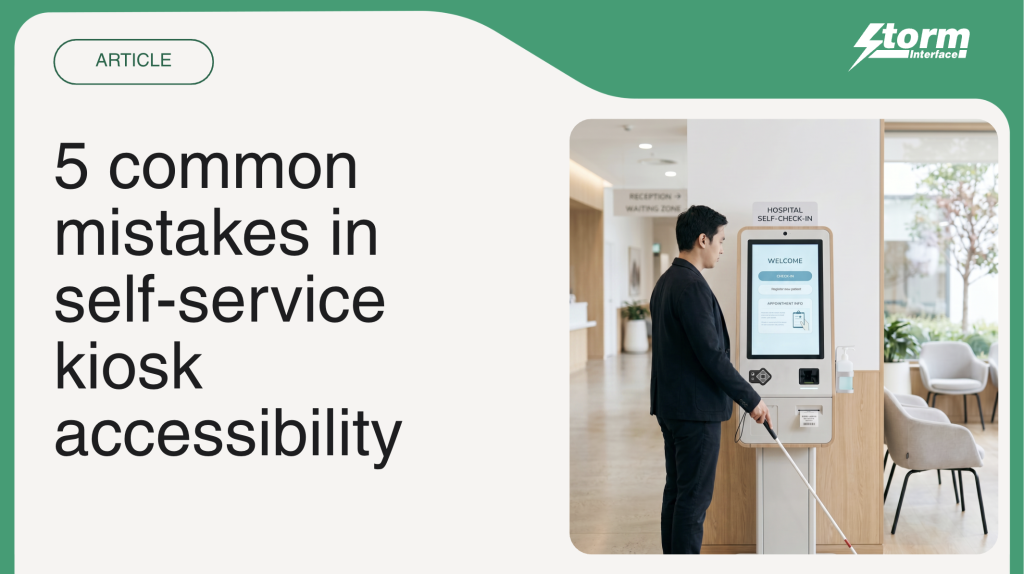
“If customers need help, it isn’t self-service.” Five mistakes undermining kiosk projects.
If you own the business case for a kiosk rollout – whether you work in retail, hospitality, transport, healthcare or banking – you probably expect the project to reduce queues, increase throughput and free employees from routine transactions.
The hard truth is if a customer must ask an employee for help to use the kiosk, you have not delivered self-service; you have installed a more expensive route to the same human labour.
“The organisation pays for the kiosk, then it pays an employee to replace the kiosk when someone cannot use it – that is the real cost of inaccessible technology.” Says Nicky Shaw, US Operations Manager
“Accessibility is often treated as a specialist requirement: something for the compliance team to review, the supplier to certify or the maintenance team to check after deployment, but that framing is dangerously narrow. Accessibility determines whether the operating model behind self-service works. It affects adoption, labour costs, throughput, customer confidence and the return on the entire kiosk estate.” Highlights Matthijs Verhagen, our resident EAA Compliance Specialist.
Most kiosk accessibility failures begin long before anything breaks.
They begin with five decisions.
1. Building a business case that quietly excludes customers
Every self-service business case contains an assumption that rarely appears in the spreadsheet: Customers will be able to use it.
The projected savings depend on that assumption. So do the expected transaction volumes, reductions in staffing pressure and improvements in customer flow.
Many projects calculate their return using the total customer population, but then design the kiosk around a much narrower range of people.
Anyone who cannot see the touchscreen, reach the payment terminal, hear an instruction, use precise gestures or process a rushed interface is left outside the model.
“The forecast accounts for the transaction, but the design does not, which means the commercial case was built on demand; the kiosk may be unable to serve.” Highlights Nicky.
Accessibility should be established before the business case is approved. How many customers can complete the journey independently? How many will require staff intervention? How much labour will assisted transactions put back into the process?
If those questions cannot be answered, the promised efficiency will remain theoretical.
2. Mistaking a touchscreen for self-service
“A touchscreen is an input method. It is not a self-service strategy.” Says Nicky simply, “That’s important because many projects begin with the screen and treat every other way of interacting as an accessory.
For a blind or partially sighted customer, a touchscreen without tactile navigation and spoken guidance may be unusable. For someone with limited dexterity, precise gestures can turn an ordinary transaction into an obstacle course. Glare, rain, screen damage, unfamiliarity and language barriers can make the same interface harder for almost anyone.”
Giving customers more than one way to interact makes the system more resilient.
Tactile controls provide a physical point of reference. Private audio communicates menus, instructions and confirmations without requiring sight. Clear feedback tells the customer that the system has registered an action and what will happen next.
Storm’s AudioNav™ and NavBar™ devices bring tactile navigation and audible content into the same customer journey. This allows someone who cannot use the touchscreen to complete the same transaction privately and independently.
“That is the Storm standard we think kiosk projects should aim for: equivalent access to the full service, rather than a reduced experience or an invitation to find a member of staff.” Says Matthijs.
3. Dividing accessibility between suppliers
The enclosure supplier positions the controls.
The hardware manufacturer provides the interface.
The software team builds the navigation.
The payment provider owns the final transaction.
“Each component may satisfy its own specification, but the completed kiosk can still fail the customer,” says Nicky.
“A tactile control is useless when the software focus moves unpredictably. Spoken guidance achieves little if it stops before payment. An accessible application cannot rescue a headphone socket that customers cannot locate or a card reader they cannot reach.”
Matthijs continues, “Customers do not experience a supply chain. They experience one transaction. When accessibility is divided between suppliers without clear ownership of the complete journey, the gaps become the customer’s problem. Someone must be accountable for independent completion from the first interaction to the receipt. That requires hardware, software, enclosure design, payment, audio and physical positioning to be tested as one system.
Storm works across these boundaries through accessible interface technology, integration support, audits, consultancy, installation, training and ongoing aftercare. The goal is not to make one component accessible. It is to make the transaction work. That’s the Storm standard we work to.”
4. Declaring victory on launch day
A kiosk can pass its accessibility testing before deployment and still fail customers six months later for many different reasons. A few common ones are:
A software update changes the focus order.
The audio stops at a new screen.
Headphones no longer trigger spoken guidance.
A replacement component is installed incorrectly.
Staff place signage or furniture in front of the accessible unit.
“The screen still works, the transactions continue, and the uptime dashboard remains green, so from the operator’s perspective, the kiosk appears healthy, but for the customer who relies on the accessible journey, it is out of service.” Says Nicky, “This is why accessibility cannot be handed to maintenance as a list of parts to inspect. It is a live measure of service performance.”
“The best thing to do is test the complete journey after software releases and hardware changes. Involve disabled people in real-world testing and give frontline employees a clear way to report accessibility failures. Check that accessible controls can be found, reached and used at every location.” Matthijs advises.
5. Measuring transactions while ignoring dependence
Most organisations measure kiosk uptime, transaction volume, adoption and average completion time. Those figures can make an inaccessible estate look successful.
A completed transaction does not reveal whether the customer completed it independently. It does not show that an employee had to leave another task to help. It says nothing about the customer who abandoned the process or avoided the kiosk because a previous attempt failed.
There are four possible outcomes to a self-service journey:
Independent
Assisted
Abandoned
Avoided
Only one delivers the full value promised by self-service, which makes independence a business metric.
“Organisations should track requests for assistance, accessible-feature failures, abandonment and user feedback alongside conventional performance data. Without that evidence, they may celebrate rising kiosk volumes while hidden labour costs and excluded customers quietly weaken the return.” Says Matthijs.
Accessibility belongs in the boardroom
“The biggest mistake is believing this conversation is mainly about disability legislation or equipment maintenance; it isn’t – it’s about whether a major customer channel can serve its intended market.” Highlights Nicky.
Storm Interface has spent nearly four decades developing robust interface technology for public environments. Its accessible products have been tested by millions of users, with devices recognised through the Royal National Institute of Blind People’s Tried and Tested programme. Storm technology is used internationally by leading brands, and its AudioNav interface was selected to support accessible ordering at McDonald’s restaurants in the United States.
That experience has shaped a clear point of view.
We do not believe an organisation should have to choose between accessibility and commercial performance. Independent customers, lower demand for staff intervention and more resilient technology support both.
We also do not believe accessibility is achieved by adding a keypad at the end of a project.
It starts with the purpose of self-service itself and making self-service accessible to everyone.
Because if the customer still needs someone else to complete the transaction, the kiosk has missed the point.